Successfully logging in opens the Home page, as displayed by the image below;
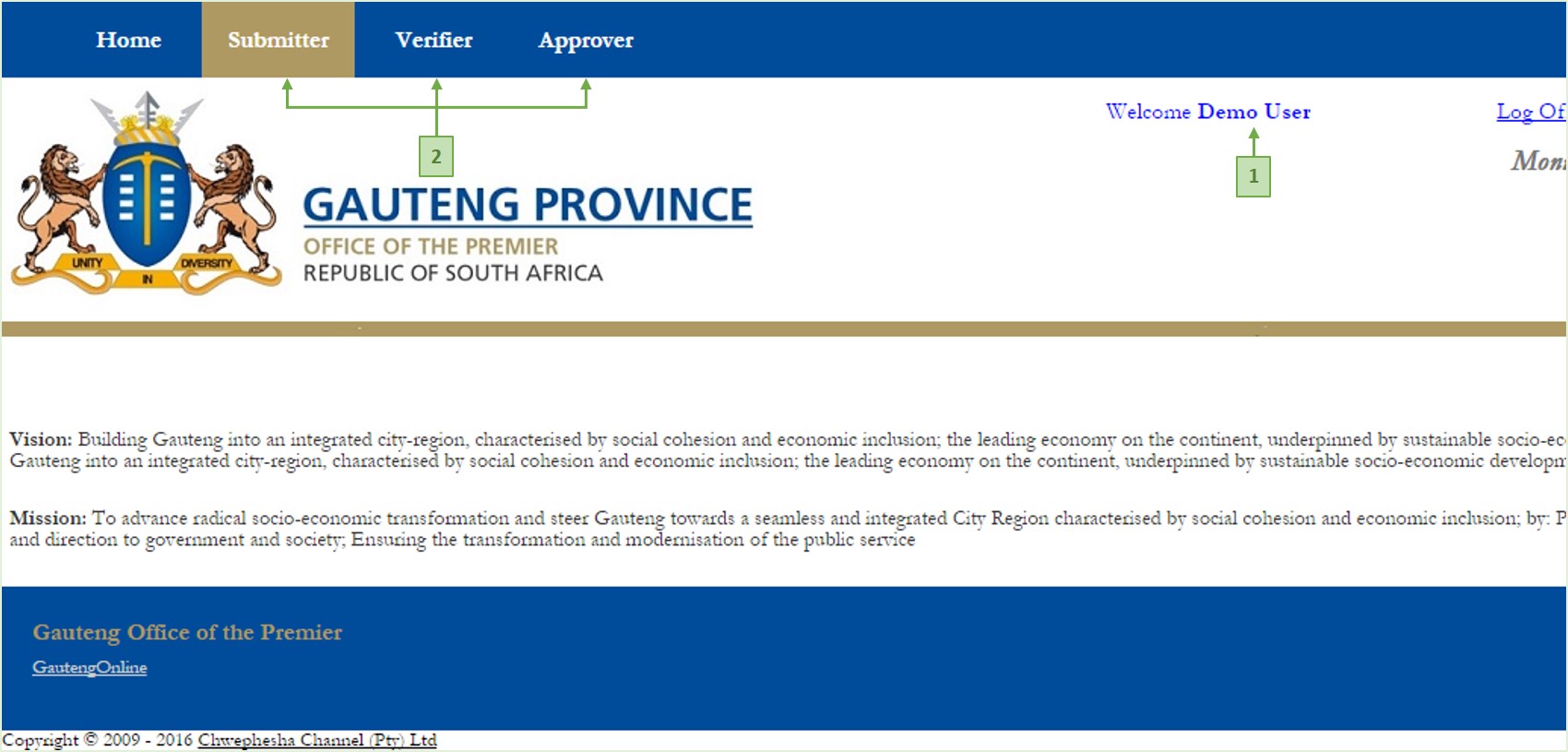
The Home Page displays the logged on user's Name - label 1 above, and the user menu - label 2 above - with menu items that represent the role(s) that have been assigned to you in the reporting process. Each menu item opens the Report Selection page that is specific to the role it represents
A user may have one or more roles in the reporting process, e.g., a user may be a Submitter, a Verifier or an Approver, or all three roles, or any combination of these roles. These are displayed on the user menu
From the menu, click the menu item for which you have a report(s) to work on. This opens the Report Selection page as displayed by the image below;
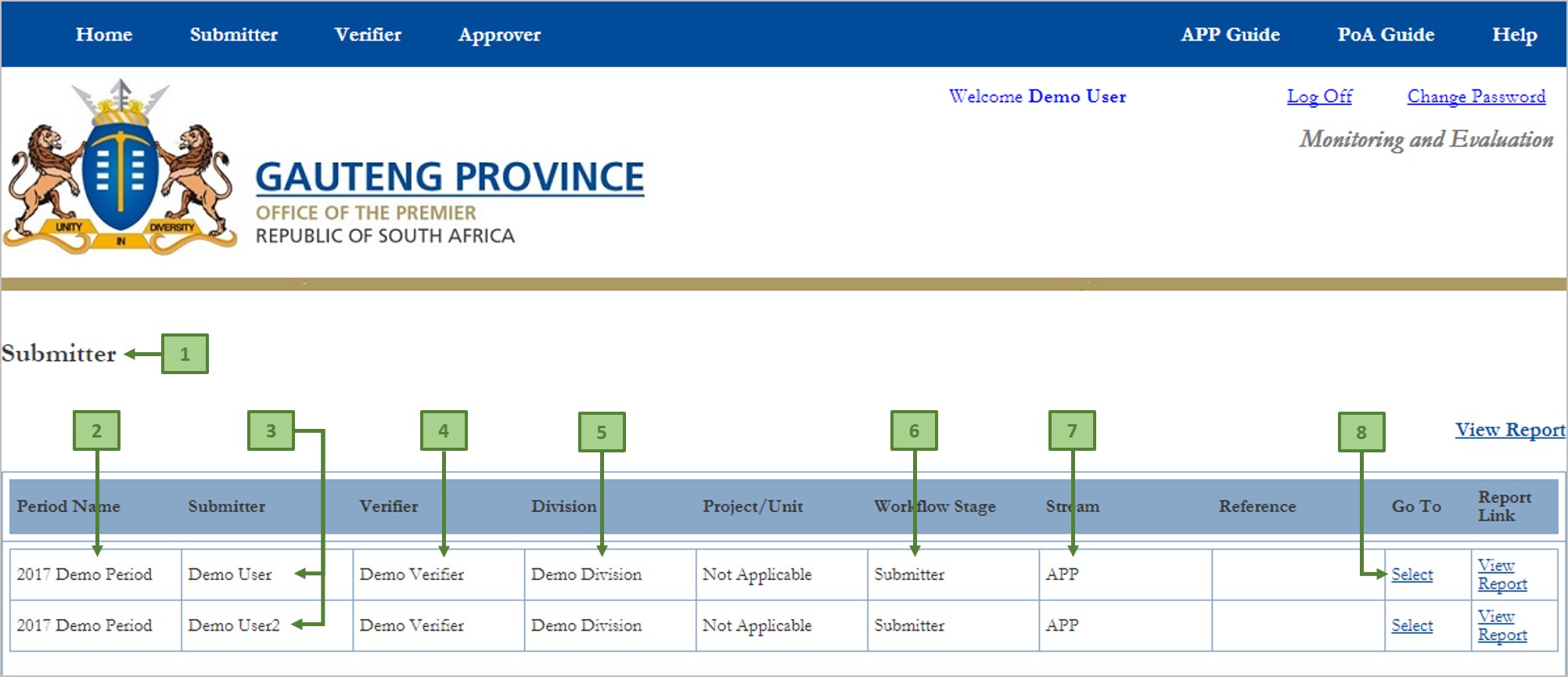
On the Report Selection page is a grid that contains the report(s) that you have permission to work on, based on your selected role - label 1 above.
In the grid, each row contains the summary of each report as follows;
- The current and open reporting period - 2 above
- The submitter for each report - 3 above. In the above case, Demo User has permission to work on Demo User2's report (e.g., if Demo User2 is unavailable/unable to work on his/her report, and Demo User is elected to serve as proxy for Demo User2)
- The Submitter's Verifier - 4 above
- The reporting Unit - 5 above
- The current Workflow Stage of each report - 6 above. In the above case, each report is at the Submitter workflow, meaning that the reports have not been submitted yet
- The Stream to which each report belongs to - 7 above
- Click here - 8 above - to open the desired report. This opens the Report Submission page for the selected report